
This SpinDog app details cover why nothing needs installing, how to open the SpinDog casino on mobile, how to set up a home-screen shortcut on Android and iOS, and what mobile play, banking and security look like.
The main facts about SpinDog on mobile are collected in the table.
| SpinDog on mobile | Details |
|---|---|
| Download needed | No - everything runs in the browser |
| Android access | Chrome, Firefox or any current browser |
| iOS access | Safari, Chrome or Firefox - fully supported |
| Home-screen shortcut | Works on both Android and iOS |
| Games | 11,000+ titles - the same as desktop |
| Live casino | Streams in mobile browsers |
| Banking | Complete GBP and crypto cashier on mobile |
| Promotions | Every offer and the loyalty scheme available |
| Protection | SSL encryption and two-factor authentication |
| Updates | Automatic - no installation |
Is a SpinDog casino app available for iOS or Android?
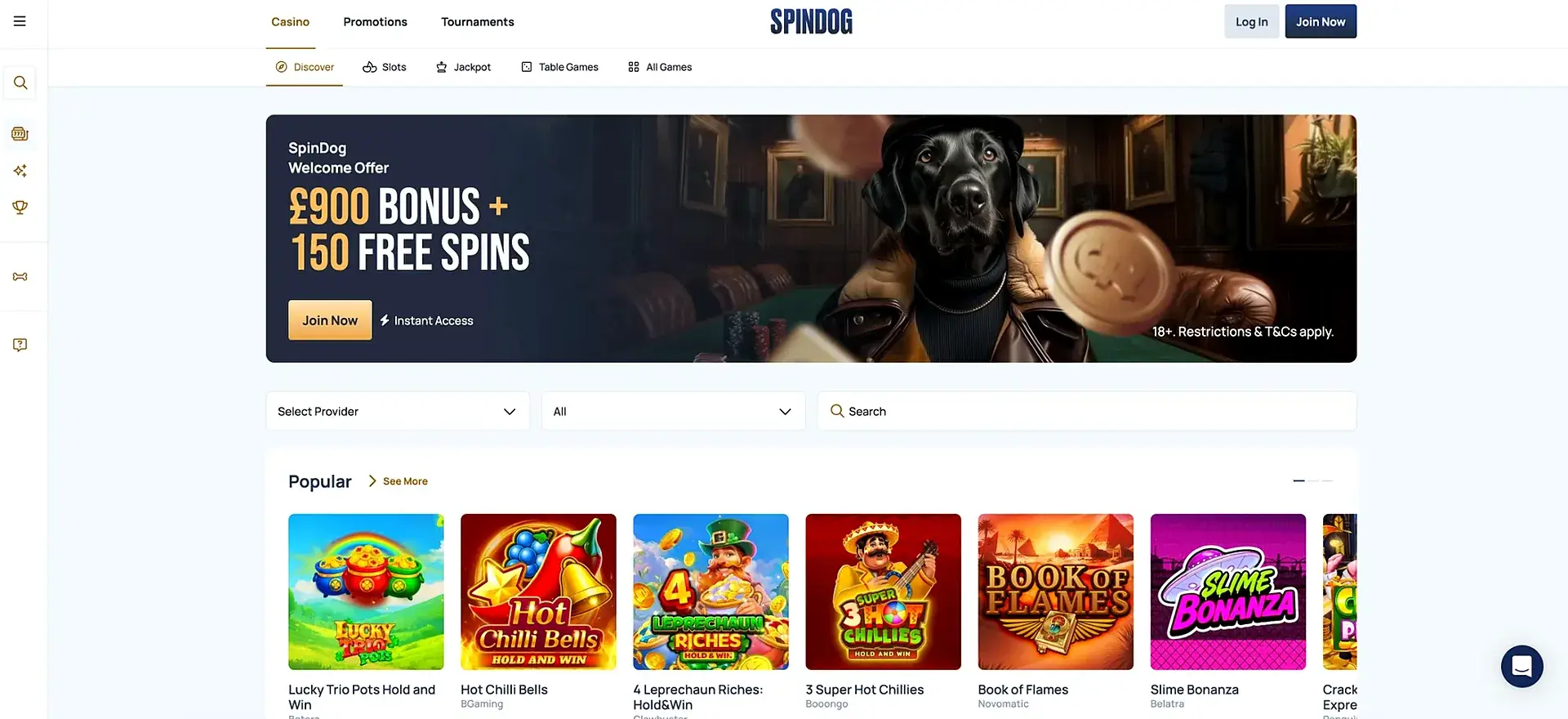
No - the App Store and Google Play currently list no SpinDog app. This is an intentional choice, not a missing feature: the browser version contains the whole site, which means no installation, no storage taken up and no manual updates, while every game and tool stays within reach. In everyday use, the mobile browser is the SpinDog app.
Opening SpinDog on a phone
Reaching SpinDog on a smartphone requires no app, only a browser. The steps are:
- Launch a mobile browser - Chrome, Safari or Firefox.
- Visit the SpinDog site.
- Log in, or tap Join Now to create an account.
- Open the lobby and play right in the browser.
Adding SpinDog to the home screen
A shortcut on the home screen gives app-style access with no download and opens the casino with a single tap. The process varies a little between platforms.
Android (Chrome)
On an Android smartphone or tablet:
- Load the SpinDog site in Chrome.
- Open the menu (three dots) in the upper-right corner.
- Select Add to Home screen.
- Check the name and confirm - the shortcut then shows up on the home screen.
iOS (Safari)
On an iPad or iPhone:
- Load the SpinDog site in Safari.
- Press the Share button at the foot of the screen.
- Scroll down and choose Add to Home Screen.
- Check the name and tap Add - from then on, the icon launches SpinDog directly.
What works on mobile
The mobile version is not a reduced edition - it offers the same tools as desktop. All of the following is available in the browser.
- Cashier: GBP and crypto deposits and withdrawals.
- Games: the complete 11,000-plus library of slots, table games and jackpots.
- Account: The Dog House loyalty scheme, verification and profile settings.
- Live casino: roulette and blackjack streamed from Ezugi and Evolution.
- Bonuses: weekly promotions, tournaments and the welcome offer.
How SpinDog performs on mobile
The mobile version is simply the same site adapted to a smaller display, so how it behaves depends on the device and connection, not on a separate app. The list below describes what the browser version provides rather than test figures, which differ from one handset to another.
- Automatic updates ensure the latest version always loads.
- The interface is built for touch, and games start from the grid.
- Live tables stream inside the browser with nothing extra to install.
- As with any browser-based casino, speed depends on the phone and the network.
Mobile deposits and withdrawals in GBP
The complete cashier works on mobile, so a phone can be used to deposit and withdraw in pounds or crypto. Fiat payments start at £20, and the methods are the same as on desktop.
| Method | Type | Minimum |
|---|---|---|
| Bitcoin (BTC) | Crypto | 0.0001 BTC deposit |
| Visa / Maestro / Mastercard | Card | £20 |
| Tether (USDT) | Crypto (stablecoin) | 2 USDT deposit |
| Bank transfer | Bank | £20 |
Crypto withdrawals are usually the quickest, card and bank payouts take more time, and the first withdrawal is paid out once identity verification is complete.
Mobile security at SpinDog
The mobile browser version has the same safeguards as desktop. According to the operator, it uses SSL encryption, supports two-factor authentication and handles personal data under GDPR.
- Turn on two-factor authentication for the account.
- Sign in only on the official site, never via links in unexpected messages.
- Log out after using a shared device.
Mobile tips for UK players
A few practical points make mobile play easier and safer for UK users.
- Choose crypto for the quickest mobile payouts.
- Complete account verification early to avoid delays with mobile withdrawals.
- Save a shortcut instead of searching for the site each time.
- SpinDog shows no UKGC licence, so check current licensing and gamble responsibly - GamCare, BeGambleAware and GAMSTOP offer support.
SpinDog app FAQ
Questions players often ask about mobile play and the SpinDog casino app.
Can I download a SpinDog casino app?
No. SpinDog has no native app for Android or iOS. The whole casino works in the mobile browser, and a home screen shortcut gives one-tap access.
Are all games available in the SpinDog mobile version?
Yes. The mobile browser offers the same 11,000-plus library as the desktop site, live tables included.
How do I open SpinDog on my phone?
Visit the SpinDog site in Chrome, Safari or Firefox, register or log in, and start playing. For an app-style icon, use Add to Home screen on Android or Add to Home Screen on iOS.
Does the SpinDog mobile site support deposits and withdrawals?
Yes. The complete cashier works on mobile, using the same bank, crypto and card methods as desktop and a £20 minimum for fiat.
How secure is the SpinDog mobile site?
The operator says the site uses SSL encryption and two-factor authentication. SpinDog shows no UKGC licence, so check current licensing before depositing and gamble responsibly.